Architecture
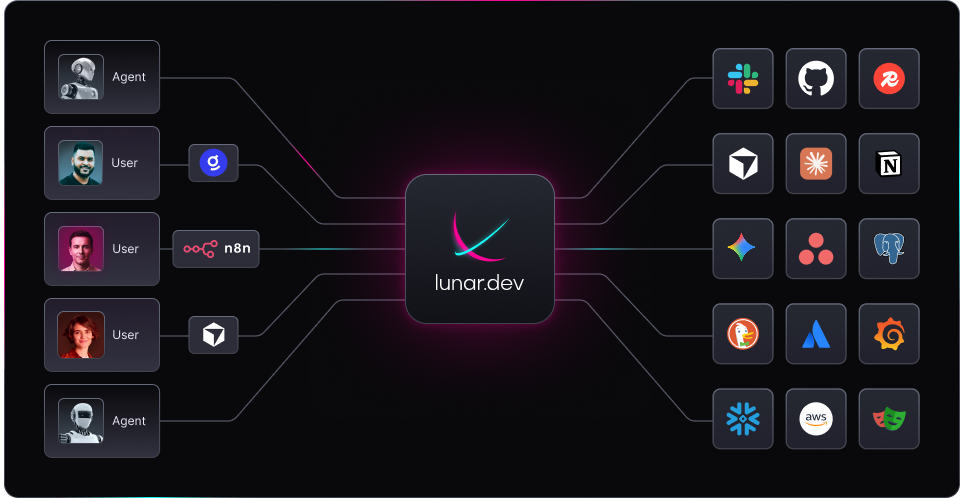
Lunar.dev MCPX sits as middleware between your client applications and one or more MCP-compatible servers. It acts as a centralized gateway: your clients and LLMs connect to MCPX, which handles all communication with backend MCP services transparently.
This architecture lets you manage complexity, enforce consistent access policies, and scale or swap backend tools without changing client logic.
Core Characteristics
-
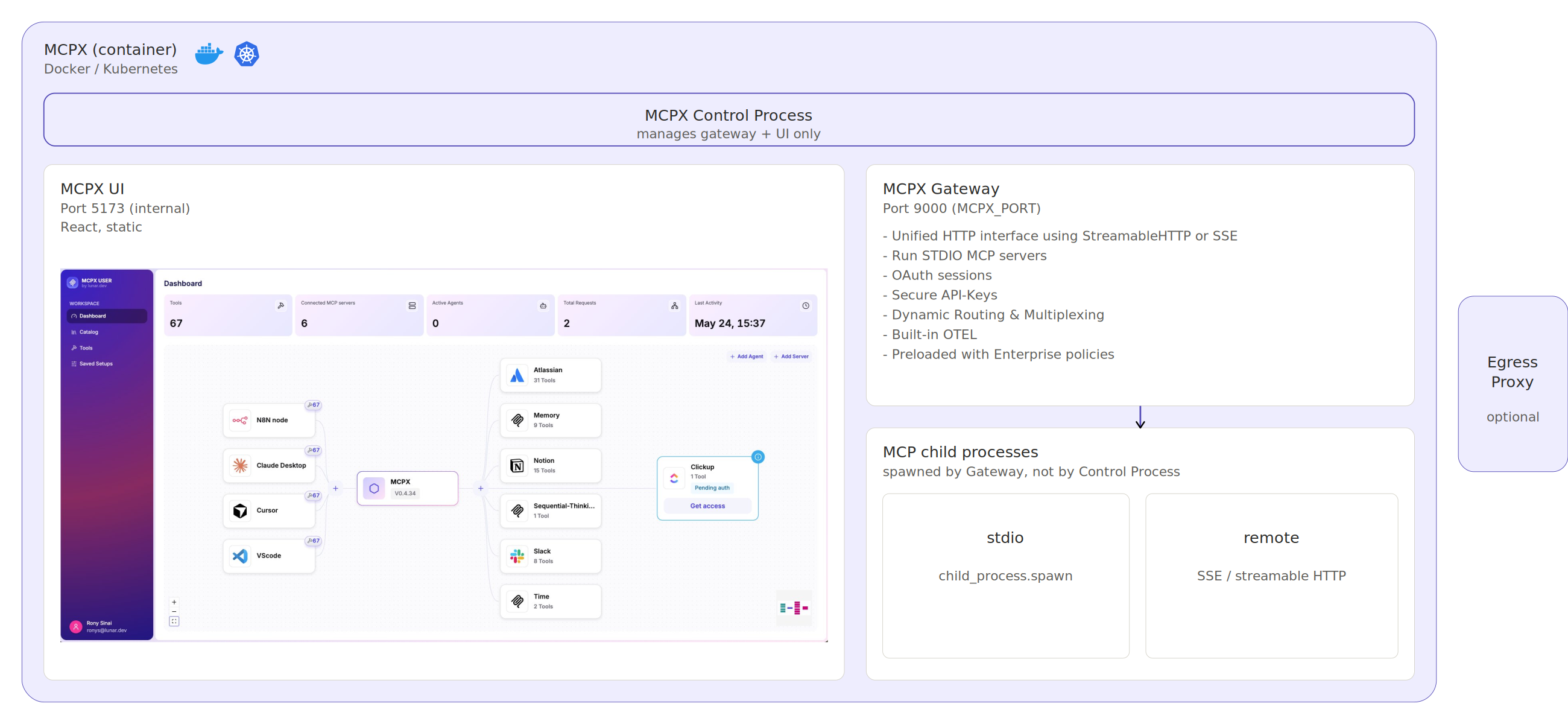
Single Entry Point. A unified HTTP interface using StreamableHTTP or Server-Sent Events (SSE). Your agent only needs to talk to one API endpoint.
-
Subprocess Communication via
stdio. Tools can be launched as subprocesses using thestdiotransport defined by the Model Context Protocol, enabling lightweight, language-agnostic execution. -
Dynamic Routing and Multiplexing. MCPX dispatches tool calls based on configuration and aggregates responses. Tools can be swapped or scaled horizontally without changing client logic.
-
Zero-Config for Clients. Clients don't need to know where tools are hosted or how they're configured. They point to MCPX and go.
MCPX Capabilities
Open-Source
The open-source MCPX provides the core gateway architecture, self-hosted in your environment.
Centralized gateway. All MCP tool servers behind one endpoint.
Aggregated tool catalog. Tools from all connected servers, discoverable from one place.
Tool Customization. Hardened tool variants with fixed inputs, rewritten descriptions, or both.
Agent Access Control. Per-agent rules for which tools and services are accessible.
Tool Groups. Reusable workflow-based collections across multiple agents.
Authentication. OAuth, Static OAuth, and API key authorization.
Enterprise Architecture
MCPX Enterprise extends the open-source architecture with centralized governance components. Same gateway core, additional control plane.
- Centralized MCPX Control Plane. A single control plane for user management, role definition, authentication, and policy enforcement across the organization.
- Cluster of gateways per identity. Dedicated, isolated gateway instances per user or agent identity, deployed under the central control plane.
- Secret Management. Store, rotate, and control secrets inside your infrastructure.
- Enterprise IDP integration. Connect your existing identity provider for federated authentication.
- Custom MCP Server Registry. Private registry of admin-approved servers, controlling what is discoverable across the organization.
- Hosted MCP. Deploy internal MCP servers as remote enterprise services on shared MCPX infrastructure.
- MCP Evaluation Sandbox. Isolated instance for testing servers before production.
- Full Auditability. Every connection and action is logged and attributable.
Next Steps
If you're ready to start using MCPX:
- Install MCPX: Quick Start Guide
- Connect MCP Servers: Connecting Servers
- Configure Access Rules: Agent Access Control
- Learn about Enterprise: MCPX Enterprise