Profiles
A Profile in Lunar.dev MCPX Enterprise is a curated subset of the MCP server catalog assigned to a specific group of users. Admins use Profiles to govern which MCP servers and tools each team, role, or department can access, so users only see the capabilities approved for them. Profile assignment can be done directly or through IdP groups synced from your identity provider.
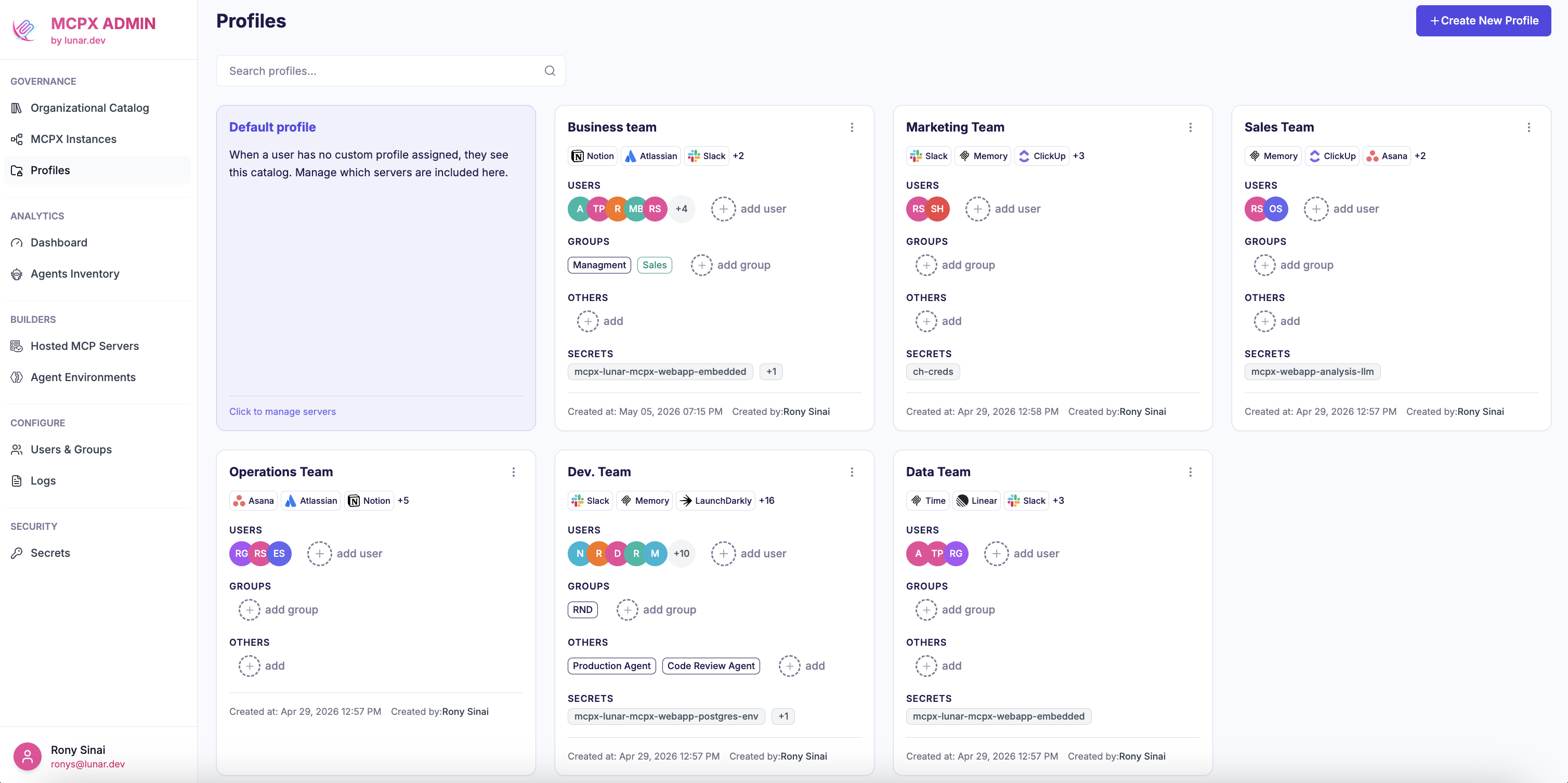
Managing Profiles
Admins can create custom Profiles in the MCPX Enterprise control plane, add approved MCP servers from the Organizational Catalog, and assign access to users either directly or through synced IdP groups.

How Profiles connect to other features
A Profile brings together three parts of MCPX:
- The Organizational Catalog is the unified source of MCP servers that can be assigned to a Profile. It combines:
- Published MCP servers from third-party providers
- MCP servers from a connected registry of public MCP servers
- Hosted MCP servers running inside MCPX Enterprise
- Centralized User Management supplies the users and IdP groups that map to Profile access.
- Secret Management scopes credentials to the Profile, so users only resolve secrets available within their assigned access boundary.
💡 MCPX Enterprise Feature - Profiles is exclusively available on our Enterprise plan.
Contact our team to book a demo and unlock this feature.