Dynamic Tool Discovery
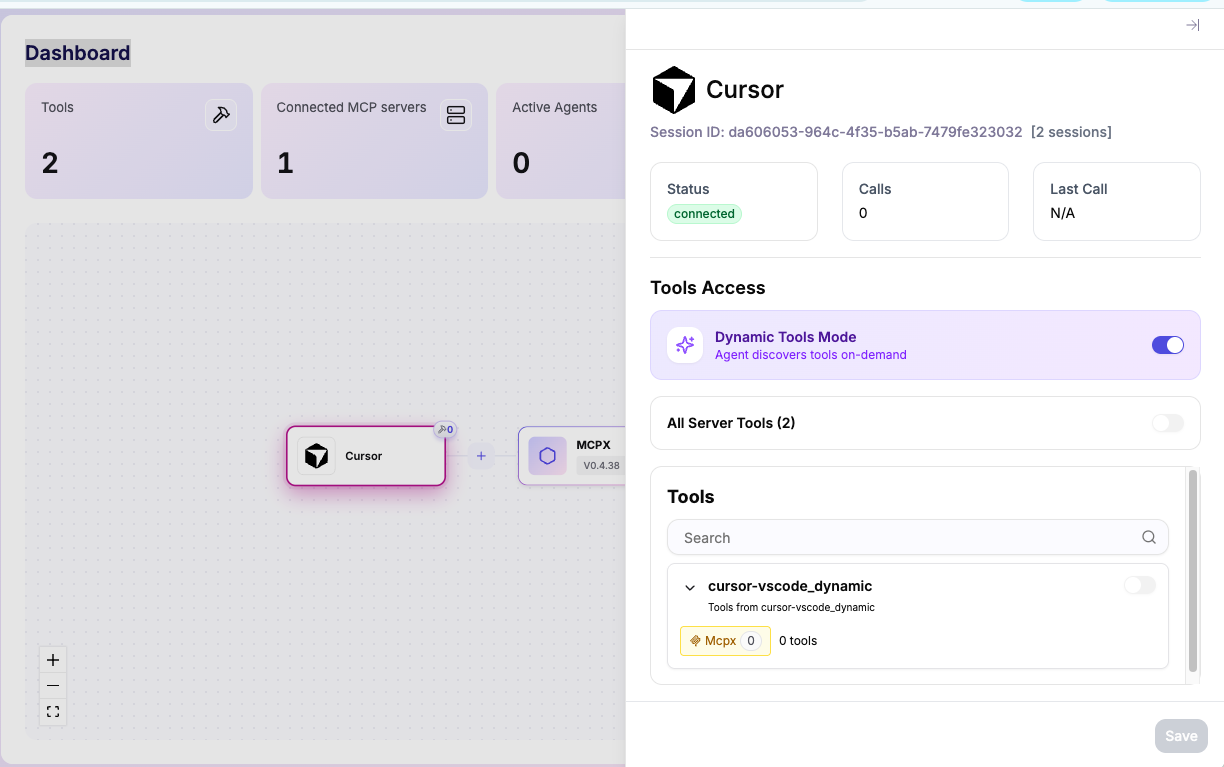
Dynamic Tool Discovery in Lunar.dev MCPX lets agents load only the tools a task needs at runtime, instead of injecting the full tool catalog into the model's context. It is built on Tool Groups.
Why it matters
As tool catalogs grow, sending every tool definition with each request consumes a large amount of context. Loading only the tools relevant to the current task reduces that overhead, restoring context for reasoning and execution.
Dynamic Tool Discovery addresses three problems that appear as catalogs scale:
- Context overhead. Full-catalog injection consumes tokens that cannot be used for reasoning, memory, or output.
- Accuracy degradation. Tool selection quality drops when a model sees too many tools at once. Fewer visible tools reduce ambiguity and incorrect calls.
- Governance blind spots. When every tool is always in scope, it is hard to know what an agent was allowed to use at decision time. Dynamic Tool Discovery makes the eligibility boundary explicit.
How it works
Dynamic Tool Discovery follows the principle of discovery first, injection second. Instead of loading the full catalog up front, agents discover the relevant tools for a task at runtime, and only those tools are expanded into the active context.
In MCPX, this is governed through Tool Groups:
- Tool Groups organize tools across multiple servers into reusable collections aligned to workflows.
- Groups can be applied across multiple agents, keeping access consistent.
- Tool exposure is controlled at runtime through Agent Access Control, based on identity and workflow.
Keeping the tool list current
MCPX aligns with MCP List Changed notifications. When tool access changes, MCPX signals connected clients so the tool list can refresh. In clients that support this behavior, the list updates automatically. Where client support is incomplete, you may need to restart or resync the client.